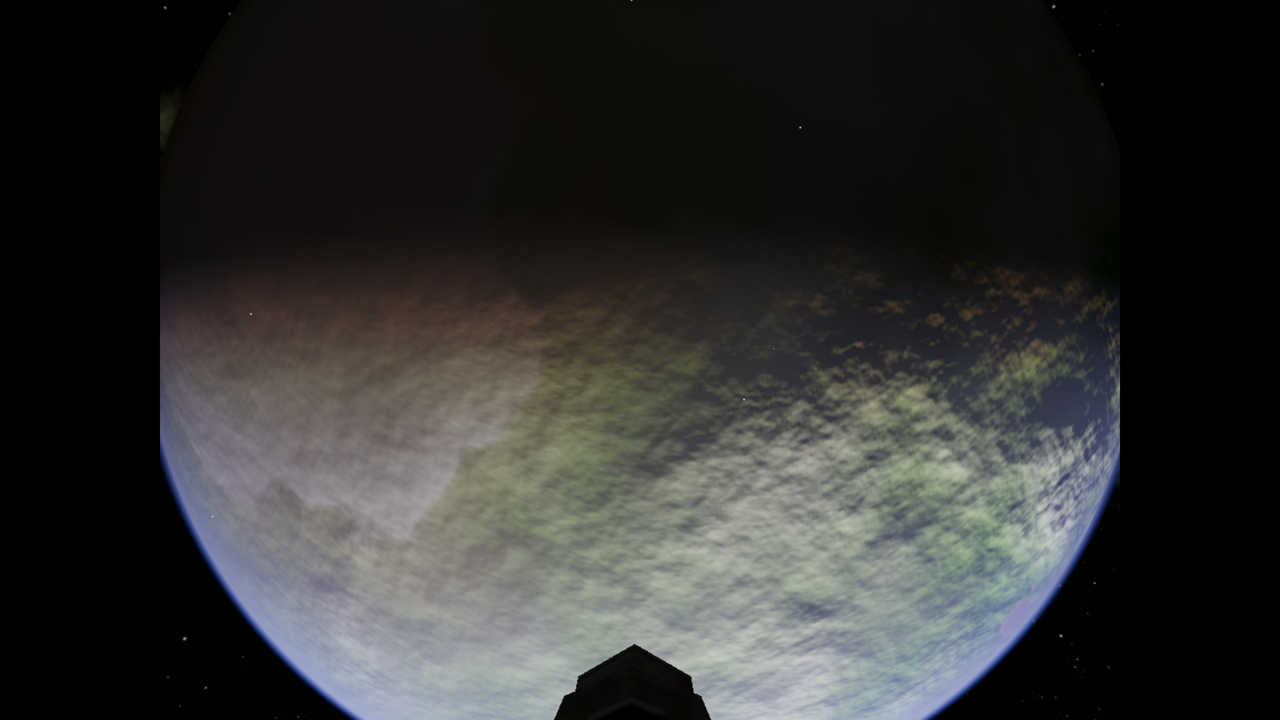
Not sure what I should add/edit/remove from the config file to fix this. I tried setting the window_height and window_width properties, to no avail.
Suggestions?
Moderators: another_commander, winston, Getafix


phkb wrote: ↑Tue Feb 17, 2026 7:31 amDon't often post here, but I just installed Ooltie from the FlatHub on a brand new install of AnduinOS, and I've hit a snag. I can't get Oolite to play iusing the full graphical width of my screen. It plays in full screen mode, but when I go to the options, it says the Full Screen Mode is 1024x768, which means my 16:9 4K display (3840x2160) has two black bars on either side of the screen. Hopefully this screenshot illustrates the issue:
Not sure what I should add/edit/remove from the config file to fix this. I tried setting the window_height and window_width properties, to no avail.
Suggestions?
Bare metal. I'm exploring the option of one day making some version of Linux my daily driver.
Ah! That did it! Thanks! (And I should have thought of that... *kicks self for being blind*)
I'm not familiar with Gnome, but I believe the Driver Manager is common to all Ubuntu variants (I'm on Kubuntu). You should be able to see what NVIDIA drivers are loaded in that tool. I see "Using NVIDIA Driver (open kernel) metapackage from nvida-driver-590-open (proprietary, tested)" in mine.phkb wrote: ↑Tue Feb 17, 2026 11:35 amAh! That did it! Thanks! (And I should have thought of that... *kicks self for being blind*)
...
Oh...err...
At 3840x2160 resolution, I get an FPS of <10, with a vanilla Oolite installation. I know I played Oolite successfully at this resolution on this laptop when I had Windows installed on it. Specs are HP Elitebook 1050 G1, Intel Core i7-8850H, 32GB ram, 1TB HDD. I've got the NVIDIA drivers installed (I think...at least, I can see the NVIDIA X Server Settings app, which appears to show various details of the GPU). What should I be looking for?
I've looked into that. It seems that the __DATE__ within a Flatpak environment returns an old date. AI claims "This is the most likely culprit. To ensure that builds are reproducible (meaning the same code always results in the exact same binary file), many build tools—including those used by Flatpak—set an environment variable called SOURCE_DATE_EPOCH...When GCC (the compiler) sees this variable, it stops using the "real" current date for the __DATE__ macro. Instead, it uses a fixed timestamp."
https://reproducible-builds.org/specs/s ... ate-epoch/ might help to set a correct value for that variable.mcarans wrote: ↑Wed Feb 18, 2026 1:31 amI've looked into that. It seems that the __DATE__ within a Flatpak environment returns an old date. AI claims "This is the most likely culprit. To ensure that builds are reproducible (meaning the same code always results in the exact same binary file), many build tools—including those used by Flatpak—set an environment variable called SOURCE_DATE_EPOCH...When GCC (the compiler) sees this variable, it stops using the "real" current date for the __DATE__ macro. Instead, it uses a fixed timestamp."
This ultimately requires a major rethink of how version info enters the build, but I'm trying to think of a short term fix to begin with.
AI advises not changing SOURCE_DATE_EPOCH and although it doesn't specifically say so in the doc you sent, I get that impression from reading it. I will investigate passing in a build date to the build.Lone_Wolf wrote: ↑Wed Feb 18, 2026 3:35 pmhttps://reproducible-builds.org/specs/s ... ate-epoch/ might help to set a correct value for that variable.mcarans wrote: ↑Wed Feb 18, 2026 1:31 amI've looked into that. It seems that the __DATE__ within a Flatpak environment returns an old date. AI claims "This is the most likely culprit. To ensure that builds are reproducible (meaning the same code always results in the exact same binary file), many build tools—including those used by Flatpak—set an environment variable called SOURCE_DATE_EPOCH...When GCC (the compiler) sees this variable, it stops using the "real" current date for the __DATE__ macro. Instead, it uses a fixed timestamp."
This ultimately requires a major rethink of how version info enters the build, but I'm trying to think of a short term fix to begin with.
Did the AI answer differentiate between setting this environment value and changing it ?
The AI pointed me to this from the reproducible builds website (https://reproducible-builds.org/docs/timestamps/):Lone_Wolf wrote: ↑Thu Feb 19, 2026 10:02 amDid the AI answer differentiate between setting this environment value and changing it ?
If not, you need to rephrase the prompt. It would also be a good idea to add https://reproducible-builds.org/ as authorative source for this prompt .
-Werror=date-time you get errors like error: macro "__DATE__" might prevent reproducible builds [-Werror=date-time] (https://askubuntu.com/questions/593566/ ... ucible-bui), so it's clearly a good idea to move away from using that macro in modern builds.
Besides the other suggestions/comments, nowadays I'd guess there is also the question of what underlying server you're running under? Is it X Window System, or Wayland?
AnduinOS uses Wayland by default, at least on my Intel test lump.Commander_X wrote: ↑Thu Feb 19, 2026 9:36 pmBesides the other suggestions/comments, nowadays I'd guess there is also the question of what underlying server you're running under? Is it X Window System, or Wayland?
Code: Select all
$ set | grep -i way
QT_IM_MODULES='wayland;ibus'
WAYLAND_DISPLAY=wayland-0
XAUTHORITY=/run/user/1000/.mutter-Xwaylandauth.SXA0K3
XDG_SESSION_TYPE=wayland
That would explain it.MrFlibble wrote: ↑Fri Feb 20, 2026 2:32 pm[...]
AnduinOS uses Wayland by default, at least on my Intel test lump.
Code: Select all
$ set | grep -i way
QT_IM_MODULES='wayland;ibus'
WAYLAND_DISPLAY=wayland-0
XAUTHORITY=/run/user/1000/.mutter-Xwaylandauth.SXA0K3
XDG_SESSION_TYPE=wayland
Jealous!!!Commander_X wrote: ↑Sat Feb 21, 2026 1:25 amOn my Slackware 15.0, under X server (and NVidia driver 570.172.08), I did some FPS testing, using my own 1.93 build. This is on a NVidia GeForce GTX 970, 3 displays, 2 of them at 60 Hz, one at 144 Hz.
My regular 1600x900 window run on the "main" display @60 Hz (although the driver doesn't have "Sync to Vblank" enabled) showed cca. 60 FPS, pinned. (I'd guess the game does vsync regardless, unless the option to disable it is set in its "defaults" plist).
I tested a 5760x1080 full screen over all the displays, and I got a minimum of 23 FPS while having the main planet quite closely on my screen (i.e. with also a visible, close station).