.oolite-save - Associating filetype with Oolite

General discussion for players of Oolite.

Moderators: winston, another_commander

Post Reply
another_commander
Quite Grand Sub-Admiral
Posts: 7134
Joined: Wed Feb 28, 2007 7:54 am

.oolite-save - Associating filetype with Oolite

Post by another_commander »

Just dropped a little neat feature before we enter code freeze. This one is quite straightforward, but I think it can be very helpful and practical.

The -load command line parameter is now optional. You do not need it when loading games from the command line, but it doesn't hurt if it's there and it stays there also for compatibility with apps like OoliteStarter, which perform handling of command line args to load games.

So now you can just do $>oolite c:/path/to/savegame/savegame.oolite-save and Oolite will go ahead and load up the specified game and start with it.

Why is this practical? Well, now you can associate the .oolite-save filetype with Oolite itself. On Windows you only need to do this once and after that you can just double-click any savegame to launch Oolite. Once the filetype is associated, you can also go to a cmd window and type the path to the savegame (including the .oolite-save extension) and this will launch the game too. Essentially, your save games become like OS commands.

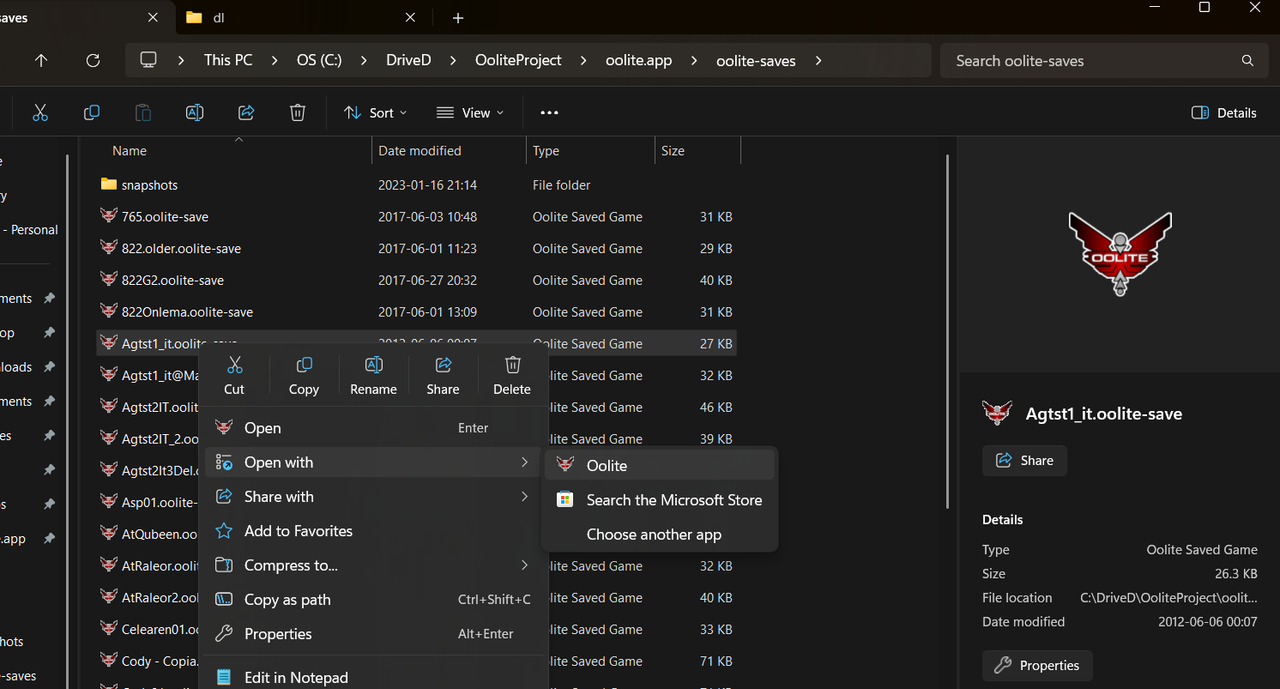
This is especially nice with the MSIX installer, which I have now modified to do the filetype association automatically. As soon as you install the MSIX you can go to your savegames folder and start double-clicking to launch them with Oolite. You can also right-click on a save file and select "Open with" in the context menu and you will see Oolite appearing as a candidate for opening the file with. And of course, with the MSIX the .oolite-save file type association is destroyed automatically and cleanly if you chose to uninstall the package.
User avatar
Lone_Wolf
---- E L I T E ----
---- E L I T E ----
Posts: 777
Joined: Wed Aug 08, 2007 10:59 pm
Location: Netherlands

Re: .oolite-save - Associating filetype with Oolite

Post by Lone_Wolf »

So now you can just do $>oolite c:/path/to/savegame/savegame.oolite-save and Oolite will go ahead and load up the specified game and start with it.
oolite-git.sh ~/oolite-saves/Lone_Wolf016.oolite-save also works on linux.
OS : Arch Linux 64-bit - rolling release

From: The Netherlands, Europe

OXPs : My user page (needs updating)

Retired, occasionally active
another_commander
Quite Grand Sub-Admiral
Posts: 7134
Joined: Wed Feb 28, 2007 7:54 am

Re: .oolite-save - Associating filetype with Oolite

Post by another_commander »

Lone_Wolf wrote: Sat Jan 24, 2026 3:41 pm
oolite-git.sh ~/oolite-saves/Lone_Wolf016.oolite-save also works on linux.
Awesome! I was hoping for a Linux user to confirm what I suspected - that it works on Linux just fine as well.
User avatar
MrFlibble
---- E L I T E ----
---- E L I T E ----
Posts: 507
Joined: Sun Feb 18, 2024 12:13 pm

Re: .oolite-save - Associating filetype with Oolite

Post by MrFlibble »

Would it be possible/practical to have an option to compress the save files?

Mine are mostly 2M+. I'm in the habit of saving as new files regularly, especially when troubleshooting.

zstd squishes them to ~10%
another_commander
Quite Grand Sub-Admiral
Posts: 7134
Joined: Wed Feb 28, 2007 7:54 am

Re: .oolite-save - Associating filetype with Oolite

Post by another_commander »

MrFlibble wrote: Sat Jan 24, 2026 5:19 pm
Would it be possible/practical to have an option to compress the save files?

Mine are mostly 2M+. I'm in the habit of saving as new files regularly, especially when troubleshooting.

zstd squishes them to ~10%
We could look into this post-1.92.

In other news, the .oolite-save file type integration with the OS is now complete in the MSIX installer:
Image
Post Reply